Self-hosted n8n security checklist for client work
A single self-hosted n8n instance running workflows for multiple clients is, mechanically, a credential vault that can execute code. It holds every connected client's API keys, OAuth tokens, and database passwords in one place, and it can act on all of them. That's a meaningfully higher-stakes setup than a personal automation server, a compromised credential on a hobby instance costs one person their own integrations. A compromised agency instance risks every client relationship running through it at once, and the client whose data leaked almost certainly never configured anything themselves, they trusted the agency to get this right.
This is a checklist, not a tutorial, each item below is something to verify directly against a real running instance, not a box to tick because it sounds reasonable. Pull up your actual .env file and docker-compose configuration while reading this.
Credential and encryption key management
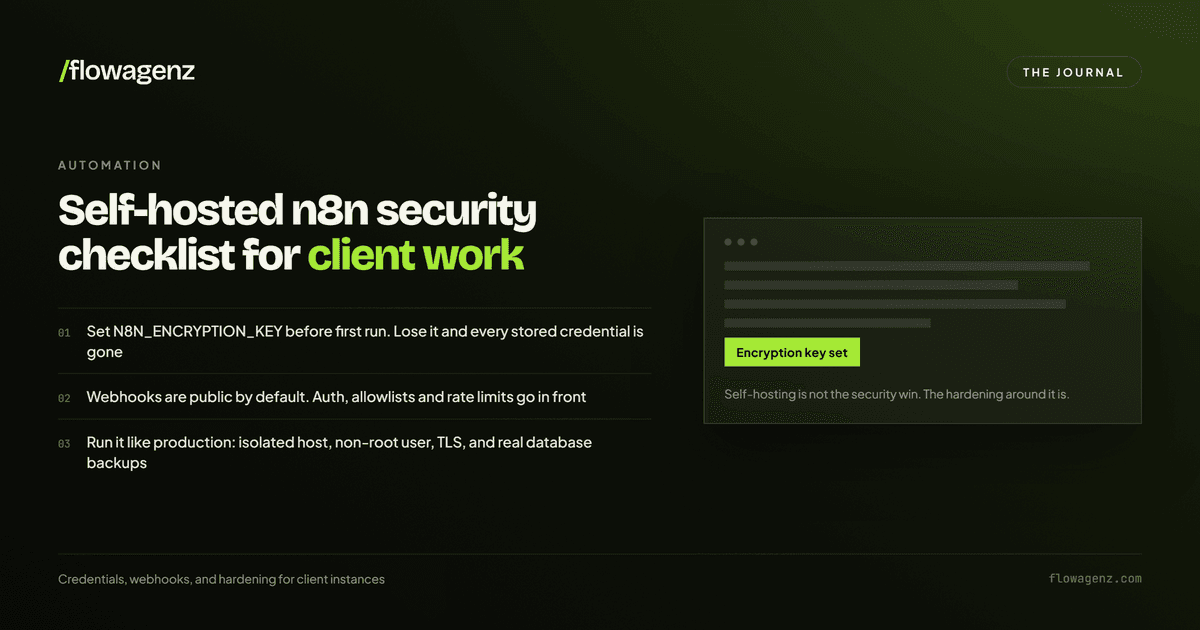
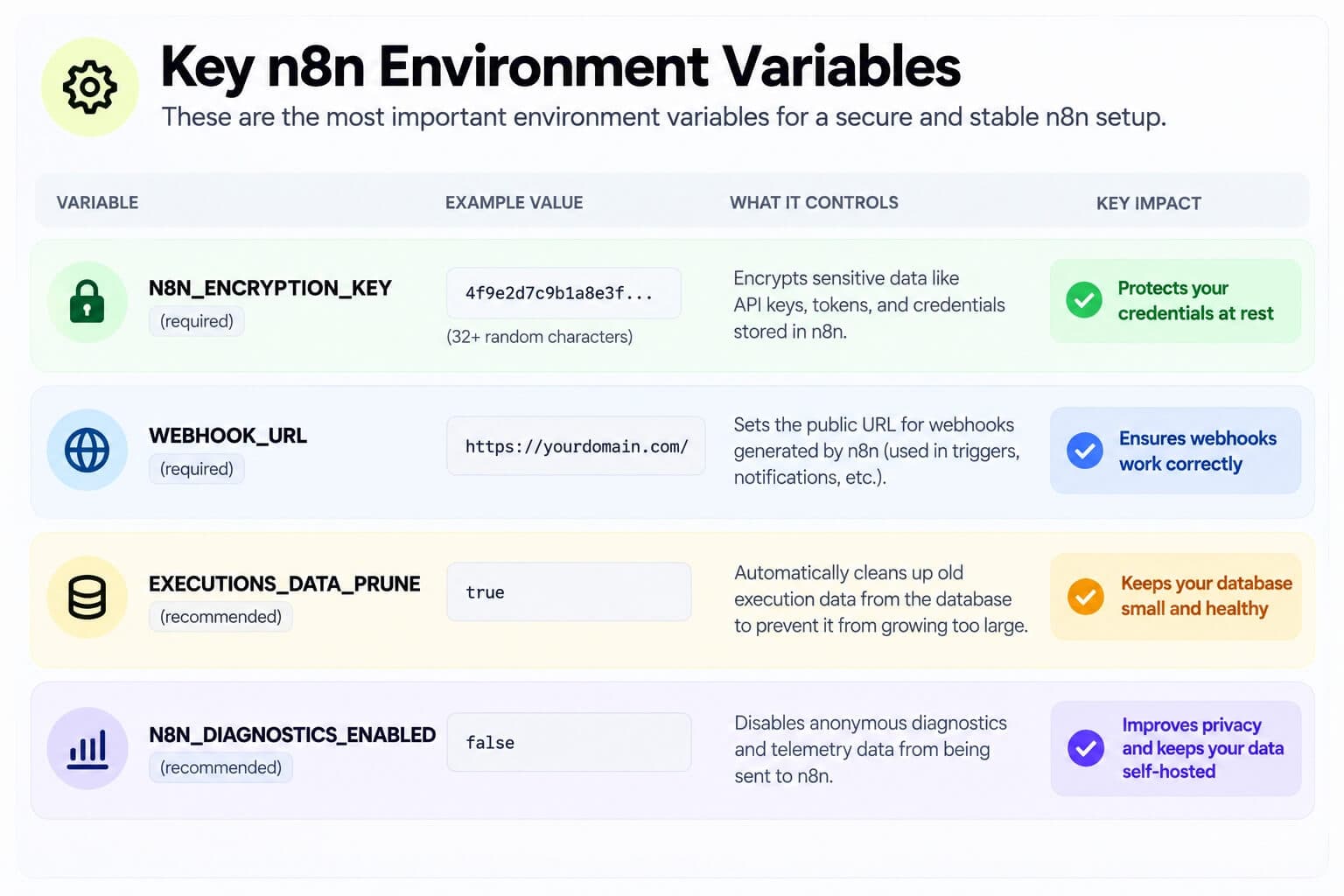
Set N8N_ENCRYPTION_KEY explicitly, never let n8n auto-generate it. This single environment variable encrypts every credential stored in the Postgres database, every client's API keys, OAuth tokens, database passwords. Generate it once as a genuinely random 32-plus character string, store it in a secrets manager separate from the server itself, and back it up with the same discipline as the credentials it protects. Losing this key doesn't just lock you out, it makes every stored credential for every client permanently, irreversibly unreadable. There is no recovery path.
Prefer OAuth over static API keys wherever a service supports it. OAuth tokens can be scoped and revoked without touching the underlying account; a leaked static API key often requires the client to regenerate it in their own dashboard, a worse, more disruptive conversation to have after an incident than before one.
Apply least-privilege scopes per credential, the same discipline covered in our AI agent security best practices guide for tool permissions applies directly here: a credential connected for one specific workflow should carry only the access that workflow actually needs, not a broad admin-level grant because it was easier to set up once.
Document ownership per client, not just per service. On a single-client instance, "whose credential is this" is obvious. On a multi-client agency instance, it isn't, and that ambiguity is exactly what makes offboarding a client cleanly, or responding fast when one client's integration is compromised, harder than it should be. A simple, maintained record of which credentials belong to which client closes this gap.
Rotate credentials on a defined schedule, not only when something goes wrong. This is easy to skip under delivery pressure and is exactly the kind of hygiene that turns a contained incident into a much smaller one, a credential rotated 60 days ago has a much shorter window of exposure than one that's never been rotated since initial setup.
Separating what's public from what never should be
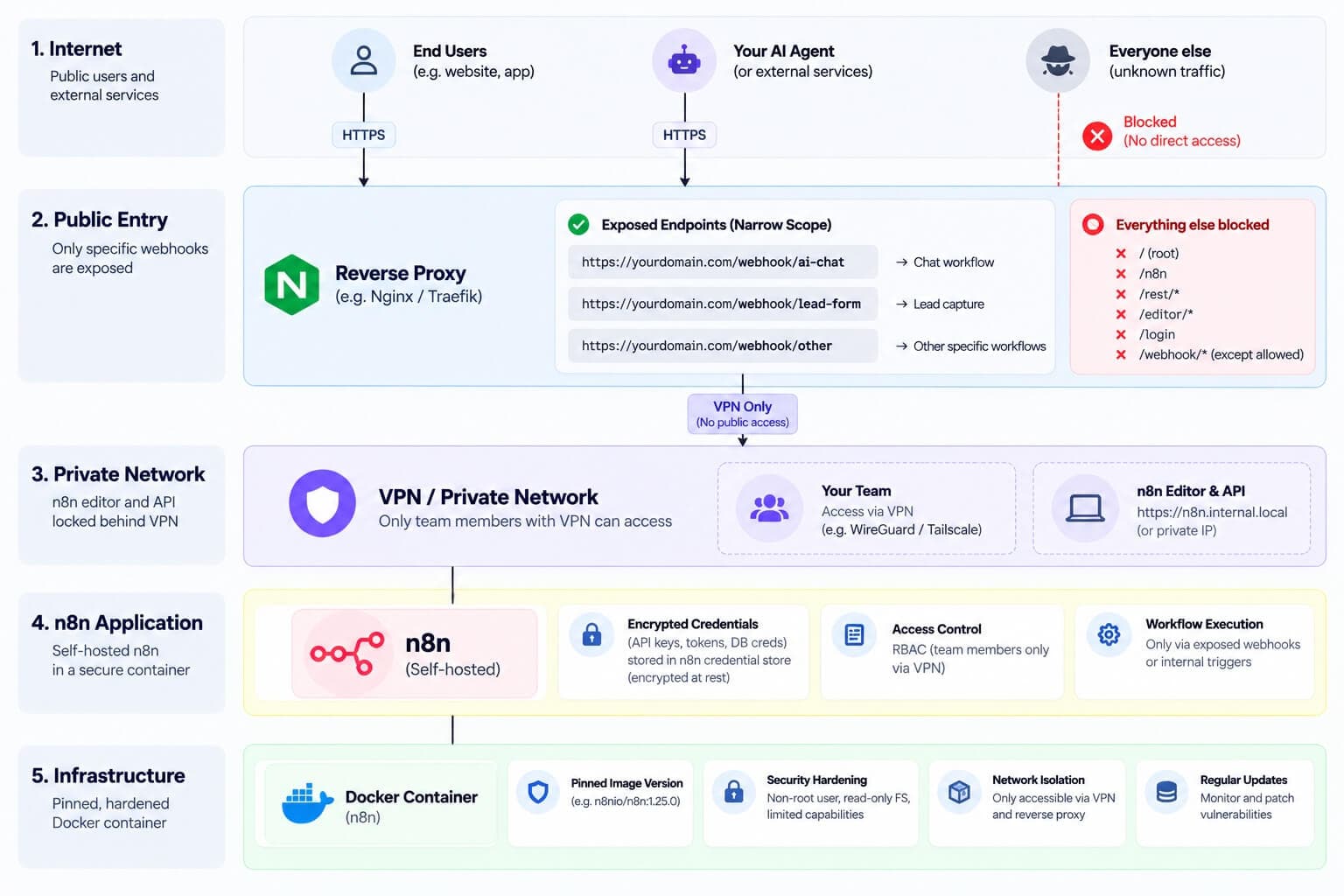
The editor and API should never be directly reachable from the public internet. These are the surfaces that let an authenticated user view, edit, and execute workflows, which means view, edit, and execute access to every connected credential. Put them behind a VPN (WireGuard or Tailscale are common, low-friction choices) or an identity-aware access proxy, so reaching the editor requires being on a trusted network first, authentication at the application layer alone isn't enough for a surface this sensitive on a multi-client instance.
Webhooks are the one surface that's intentionally public, treat that intentionality seriously. Every public webhook endpoint should:
Run over HTTPS only, no exceptions.
Use a random, non-guessable path rather than a predictable or sequential one.
Verify an authentication header or signature on every incoming request, not rely on the path being secret as the only protection.
Sit behind a reverse proxy with rate limiting applied at the proxy layer, not left to n8n alone to absorb a flood of requests.
Get removed the moment it's no longer in active use. An old test webhook left live is a real, forgotten attack surface, not a harmless leftover.
For a genuinely high-security workflow, periodic webhook URL rotation is worth the operational overhead, treating the URL itself as a credential with a shelf life rather than a permanent fixture.
Docker and infrastructure hardening
Pin the n8n image version explicitly, never run :latest in production. An unpinned image means your next deployment or restart could silently pull a different version with different behavior, a bad time to discover a breaking change is mid-incident, not during a planned upgrade.
Run the container as a non-root user with a read-only filesystem and dropped capabilities where n8n's operation allows it. This is standard container hardening, and it matters more on an instance running workflows for multiple clients, since it directly limits what a compromised container, however that compromise happened, can actually do to the host.
Disable or restrict dangerous node types through n8n's node exclusion configuration, specifically executeCommand, readWriteFile, and localFileTrigger. These nodes give a workflow genuine code-execution or file-system access, appropriate for a narrow, deliberate use case, a real risk if any team member or, worse, a client with workflow-editing access can add them to a workflow without review. Restricting these by default and re-enabling only where a specific workflow genuinely needs them is a safer default posture than leaving them universally available.
Set execution data pruning (EXECUTIONS_DATA_PRUNE=true) so workflow execution history, which can contain real client payload data processed by a workflow, doesn't accumulate indefinitely in the database. Unbounded execution history is both a growing storage cost and a growing data-retention liability, data you're storing longer than any client agreement likely anticipated.
Disable telemetry (N8N_DIAGNOSTICS_ENABLED=false) if client data sovereignty or a specific client contract requires it, and verify this explicitly rather than assuming a default setting matches what was promised in a client agreement.
Backups: the part that's easy to get half right
A backup that only includes the Postgres database is an incomplete backup. n8n's encryption key, the one protecting every stored credential, typically lives in the n8n data volume alongside workflow files, separate from the database itself. A disaster recovery plan that restores the database but not that volume restores encrypted credentials with no key to decrypt them, a backup that technically exists and is functionally useless. Verify both pieces are captured together, and verify the restore process actually works before you need it for real, not during the incident itself.
The agency-specific risk: offboarding
This is the piece general self-hosting guides don't cover, because it doesn't exist on a single-owner instance. When a client relationship ends, their credentials need to be revoked and removed, not just left dormant in the credential store. A dormant, forgotten credential for a client who left eight months ago is still a live, working credential if it's never been revoked, and it's one with no one actively monitoring it or expecting it to be used. Build client offboarding into the same checklist discipline as onboarding: a defined step that removes or rotates every credential tied to that client, not an afterthought handled only if someone remembers.
The bottom line
A self-hosted n8n instance running client workflows is a credential vault with execution rights attached, and the checklist above is what treating it that way actually looks like in practice: an encryption key set deliberately and backed up separately, an editor that's never publicly reachable, webhooks narrowly scoped and authenticated, dangerous nodes restricted by default, backups that include the piece that makes credentials readable, and an offboarding process that actually revokes access when a client relationship ends. None of this is exotic. It's the difference between a setup that looks secure in a demo and one that stays secure three clients and a year of real usage later.
Book a short call to walk through your current setup.
If you're running or inheriting a self-hosted n8n instance handling real client credentials, Flowagenz can audit it against this checklist before something goes wrong instead of after.